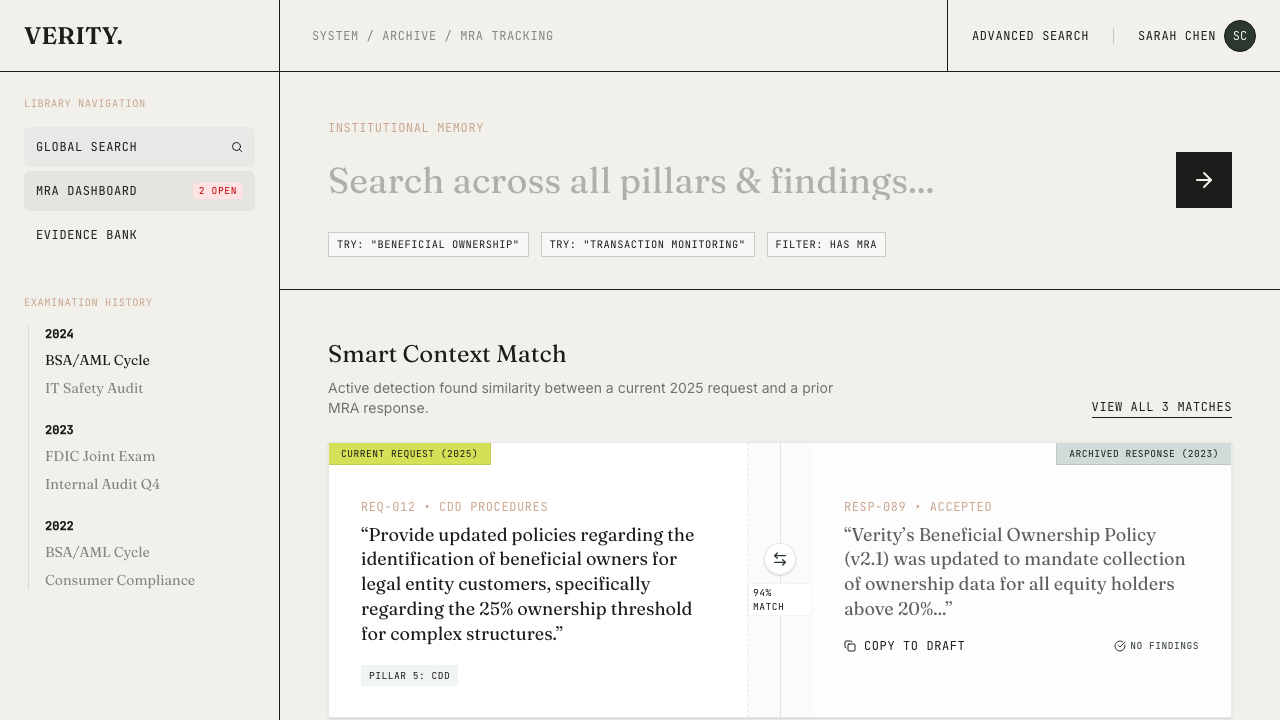
 When an examination is complete, archive it. The archive preserves the full examination package — every request item, every uploaded evidence file, all notes and status history.
Search across examinations
The archive search lets you query across all past examinations. Looking for how you handled a specific regulatory topic last cycle? Search for it. The results show which examination contained it, what evidence was provided, and what the outcome was.
This is the “institutional memory” that most compliance teams lack. The second examination cycle takes less time because you can reference what worked before.
MRA tracking
If the examination results in Matters Requiring Attention (MRAs), track them directly from the archived examination.
Creating an MRA
From an archived examination, click Create MRA. Each MRA requires:
- A title describing the finding
- At least one linked request item from the examination
- The regulatory pillar it relates to
MRAs are assigned human-readable IDs like MRA-2026-001.
MRA lifecycle
open → remediation_in_progress → closed
| Field | Description |
|---|
| Finding text | The examiner’s finding |
| Category | Regulatory category |
| Status | Current lifecycle stage |
| Issued date | When the finding was issued |
| Remediation evidence | Files uploaded to demonstrate remediation |
| Linked request items | Original examination items that led to the finding |
Reopening archived examinations
Sometimes an archived examination needs to be revisited — a follow-up request arrives, evidence needs updating, or the archive was premature. The Reopen Examination button transitions the examination back to “In Progress” and returns you to the standard examination workflow.
A confirmation dialog asks you to confirm before the transition happens. Once reopened, all request items become editable again and the examination reappears in the active examinations list.
Correspondence
Archived examinations support post-exam correspondence uploads — findings reports, follow-up letters, and other documents that arrive after the initial examination cycle. These are stored alongside the archived package for a complete record.
